- Safety
- Malware
- Account bans
Is HappyMod Safe? A Clear Look at the Real Risks
Is HappyMod safe? The honest answer is “partly”. The store app can be verified, but the mods inside it are uploaded by strangers and are not reviewed like Google Play apps. This guide separates the three real risks and gives you a checklist that works.

Is HappyMod Safe? Short Answer
No third-party app store can promise that every file is clean, and we will not either. What we can say is how to reduce the risk. Is HappyMod safe to use for browsing and installing? It can be, if you verify the app, choose mods carefully and keep your real accounts out of it. Is it safe to trust blindly? No.
Reviewers and security blogs mostly agree on this point, and so do user threads. Search results for “happymod reddit” are full of the same advice: scan files, avoid main accounts, expect some mods to be broken.
The Three Risks Explained
1. Platform risk
The HappyMod app itself can be tampered with if you download it from a random website. A repackaged copy can look identical and still contain extra code. This is the risk you control best: use one trusted source and compare the SHA-256 hash on our guide to happy mod download.
2. Catalogue risk
Mods are uploaded by individuals. A high working rate means a file runs, not that it is harmless. Risks include spyware, aggressive ads, hidden trackers and credential stealing.
3. Account risk
Online games and subscription apps detect modified clients. Using one can break the terms of service and get your account banned. This risk is real even with a clean file.

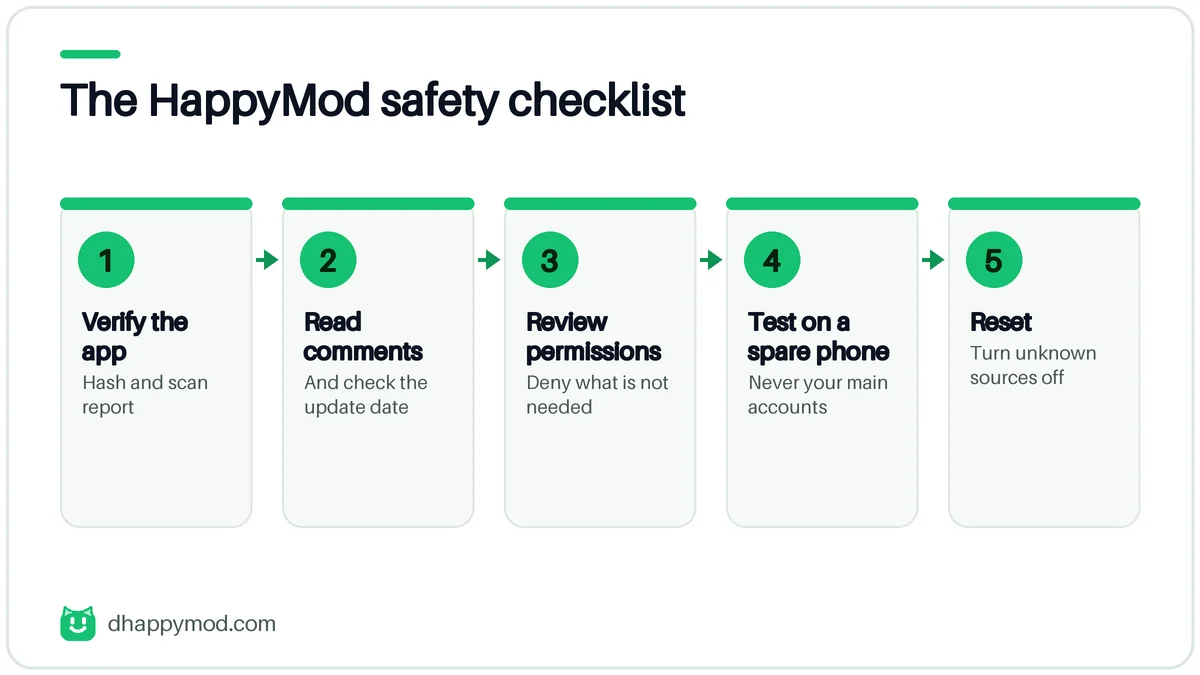
HappyMod Safety Checklist
- Verify the app: hash and scan report before the first install.
- Read comments and the update date on every mod.
- Review permissions. Deny what the app does not need.
- Test on a spare phone or profile first.
- Reset unknown-source installs when you finish.
| Red flag | What to do |
|---|---|
| Asks for accessibility or device admin | Uninstall immediately |
| Needs SMS or contacts for a game | Deny or skip |
| Pushes a second installer | Close and delete |
| Comments mention malware or bans | Choose another mod |
| File size changed between versions with no reason | Do not install |
What Scanners and Reviews Tell You
Online scanners sometimes flag mod store domains because they host third-party files. A flag is a reason to look closer, not proof of infection. Equally, a clean scan from a single engine is not proof of safety. Use several signals together: VirusTotal results, file hash, comments and the permissions list.
Our process for checking files is described on How We Scan Files. It lists what we test and, just as important, what we cannot test.
Is HappyMod Legal and Safe for Your Accounts?
Installing the store is generally permitted, but using modified copies of paid or copyrighted apps can breach terms of service and sometimes copyright law. If you want to protect a game account, do not use mods in online modes at all. For offline single-player games the account risk is much smaller.
Safer Alternatives
If your goal is simply free apps or fewer ads, reviewed catalogues are a better choice. Our guide to apps like happymod compares F-Droid, official stores and other options.
What We Would Check Before Installing Anything
This is the process a careful user follows. It takes about five minutes and removes most of the common mistakes.
Check the source
Is the page run by named people? Does it show a date, a contact method and a hash? Pages that hide who runs them rarely fix problems when something goes wrong.
Check the file
Compare the file size and the SHA-256 hash. Upload the APK to VirusTotal and read the detection list. A single detection by a minor engine can be a false positive. Detections by several major engines are not.
Check permissions
A simple game does not need your contacts, SMS or microphone. A utility app does not need accessibility service access. When a permission request does not match the purpose, deny it or uninstall.
Check comments and dates
Read the last ten comments. If people mention bans, ads, crashes or malware warnings, take them seriously. Look at when the mod was last updated.
Signs You May Already Have a Problem
| Sign | Possible cause |
|---|---|
| Ads on the lock screen or home screen | Adware |
| Battery drains much faster | Background mining or tracking |
| Unknown apps appear | Silent installer |
| Phone is hot while idle | Crypto miner |
| Accounts show logins you do not recognise | Credential theft |
If you see more than one of these, uninstall the recent apps, run a scan, change passwords from a clean device and consider a factory reset.
HappyMod Safety for Specific Groups
Parents
Treat HappyMod as unsuitable for children’s phones. Mods can include adult content and ads, and children cannot judge file risk. Use parental controls and restrict installs from unknown sources.
Gamers with paid accounts
Never use mods on an account with purchases, rank or years of progress. A ban is permanent and support will not reverse it.
People using a work phone
Do not install it. Corporate devices often forbid unknown sources and can be wiped remotely.
Legal and Ethical Questions
Using modified copies of paid software can mean the developer is not paid for work you use. Some mods, such as fan translations or accessibility tweaks, are not controversial. Others unlock paid content, which breaks the terms of service and in some countries the law. We recommend official routes wherever they exist. This is not legal advice.
Our Verdict
HappyMod is not a virus factory, but it is not a safe app store either. It is a convenience tool with trade-offs. Use it, if at all, with a verified APK, a spare account and a healthy suspicion of every mod. For everyday use, a reviewed store such as the ones in our guide to apps like happymod is the better choice.
How to Check a File Yourself: Hash and VirusTotal
Do not trust a “safe” badge. Check the file in two minutes.
| System | Command to get the SHA-256 hash |
|---|---|
| Windows (PowerShell) | Get-FileHash .\file.apk -Algorithm SHA256 |
| macOS | shasum -a 256 file.apk |
| Linux | sha256sum file.apk |
| Android | A trusted file-manager or hash-checker app |
Compare the result character by character with the value in our table, then upload the file to VirusTotal. One or two detections from lesser-known engines can be false positives, but several major engines agreeing is serious. A clean scan is still a snapshot, not a promise.
What the Permissions Mean
| Permission | Normal for a store app? | Why it matters |
|---|---|---|
| Storage or file access | Yes | Saves downloaded files |
| Install unknown apps | Yes, but only for the install | Lets the file install other apps |
| Notifications | Optional | Can be used for ads |
| Accessibility | No | Can read the screen and tap for you |
| Device administrator | No | Can block uninstalling |
| SMS or contacts | No for a game | Can steal codes and contacts |
Ban Risk by Type of Play
- Offline single-player: low risk of a ban, but the malware risk stays.
- Offline with occasional online checks: medium; progress syncing can flag changes.
- Online or server-checked: high; games detect modified clients and can issue permanent or device bans. Supercell, for example, states in its fair-play policy that prohibited third-party software can lead to a permanent ban.
Signs of a Fake or Repackaged HappyMod
- The domain is a near-spelling of a known name or ends in an unusual suffix.
- The page shows a different version in the title and the file name.
- It asks you to install a second app or a profile first.
- It hides who runs it and has no contact details.
- Security checkers flag the domain.
If You Think You Are Already Infected
- Uninstall the app and recent unknown apps.
- Scan with Play Protect and one more reputable scanner.
- Remove accessibility and device-admin access you did not intend to give.
- Change passwords from a clean device and enable two-step verification.
- Back up photos and contacts, then consider a factory reset if the phone still misbehaves.
Children, Shared Phones and Rooted Devices
HappyMod is not suitable for a child’s phone: mods can include ads and content you cannot review. On a rooted phone the risk is higher, because a malicious file can do more damage. On a work or shared device, do not install it at all.
Why You Can Trust This Page
We have no financial link to HappyMod, we do not host any mod files, and we say “pending verification” when we have not checked something. Read our editorial policy and the scan method for details.
Frequently Asked Questions
Is HappyMod safe to use in 2026?
It can be if you verify the APK, scan files, read comments and avoid your main accounts. The store is not reviewed like Google Play, so treat every mod as untrusted.
Does HappyMod contain viruses?
The official store app is not inherently a virus, but mods uploaded by users can carry malware. Fake copies of the app are also common.
Can HappyMod get my game account banned?
Yes. Online games often detect modified clients and may ban accounts. Offline games carry far less risk.
What does Reddit say about HappyMod?
Most threads advise scanning every file, using spare accounts and expecting some mods to be fake or outdated. Treat anonymous claims with caution.
How can I check a HappyMod file?
Upload it to VirusTotal, compare the SHA-256 hash with a trusted source and review the permission list before installing.
Is a HappyMod review on a random site reliable?
Not by default. Many "review" pages are affiliate or SEO content. Look for named authors, dates and links to real scan reports.
Is HappyMod safe for children?
We do not recommend it. Mods are uploaded by strangers and can include ads or unsuitable content.
Is it safe to use HappyMod on a rooted phone?
It raises the risk, because a malicious mod can reach more of the system. Avoid it on rooted devices.