- Sandbox
- Survival
- Android
Happymod Minecraft: What Mods Really Do and Safer Ways to Play
Searching happymod minecraft usually means you want extra blocks, free items or a creative-mode unlock. This page explains what Minecraft mod files claim, what can go wrong and how to get the same fun through official add-ons and maps.

What Is Minecraft and Why Do People Mod It?
Minecraft is a sandbox game from Mojang Studios in which you gather resources, build structures and survive or create freely. It runs on Java Edition for computers and Bedrock Edition for phones, consoles and Windows. The community has always modded the game because the world is so open: new mobs, furniture, shaders and game modes extend it endlessly.
That history is why minecraft happymod is such a popular search. On a phone, though, the rules are different from a PC, and a lot of what is offered is not what it claims.
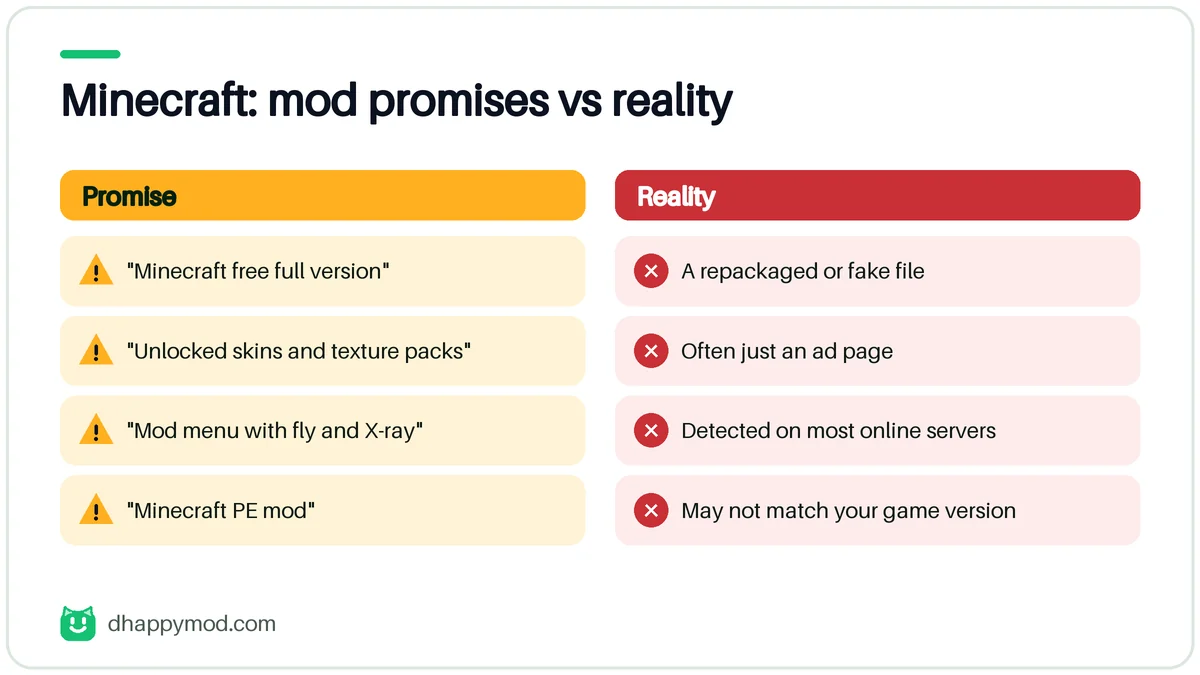
What a Happymod Minecraft Mod Usually Promises
| Promise | Reality |
|---|---|
| “Minecraft free full version” | A repackaged or fake file |
| “Unlocked skins and texture packs” | Often just an ad page |
| “Mod menu with fly and X-ray” | Detected on most online servers |
| “Minecraft PE mod” | May not match your game version |
| “Premium Marketplace items free” | Tied to your account, not to a file |
Searches such as minecraft apk happymod and happymod minecraft pe bring many pages that offer a complete game file. A copy of a paid game that appears free is the single most common way to deliver malware.
The official Android version is a paid game on Google Play. A free “full APK” is a pirated or fake copy, and it can carry malware.
Risks of Using a Minecraft Mod APK
- Malware. Fake game files are used to install adware and spyware.
- Realms and server bans. Multiplayer servers detect modified clients and ban accounts.
- Corrupt worlds. A mod built for another version can break saves.
- Account exposure. Signing in to a modded client risks your Microsoft account.
- Missing updates. Modded files do not receive the official patches.
The Official Way to Get Mods and Add-ons
Bedrock Edition supports add-ons: official, sandboxed packages that change mobs, blocks and rules without modifying the app. You can import them from the in-game Marketplace or from creators who publish them, and they work with your normal account.
- Add-ons and behaviour packs change how the game works.
- Resource and texture packs change how it looks.
- Worlds and maps give ready-made adventures.
- Creative mode unlocks unlimited blocks without any mod.
- Realms gives you a private server for friends.
On PC, Java Edition has popular mod loaders and a very large community. They are separate from phone installs, and the usual advice is to download only from the mod authors’ own pages.
How to Stay Safe if You Search for Minecraft Mods
- Use only the official game from Google Play.
- Install add-ons from the Marketplace or from creators you recognise.
- Read the version note so the add-on matches your game.
- Back up your worlds before importing anything.
- Avoid sign-ins inside any non-official client.
Our guide to is happymod safe explains the checks in more detail, and our guide to mod apk covers the general risks of modified files.
Is Happymod Minecraft Safe to Use?
Treat a happymod minecraft download as unsafe until proven otherwise. The official game is a paid app, so any file that gives you the “full version” for free is either a pirated copy or a bait file. Even a genuine mod for a legitimate copy of the game comes from an unknown author, and a phone mod has far less community review than a PC mod on a well-known site.
Minecraft Editions at a Glance
| Edition | Platform | How mods work |
|---|---|---|
| Java Edition | Windows, macOS, Linux | Mod loaders and community mods |
| Bedrock Edition | Phones, consoles, Windows | Add-ons, behaviour and resource packs |
| Education Edition | Schools | Managed content only |
This table explains most confusion: a “Java mod” cannot run on a phone, and a phone “mod” is normally a Bedrock add-on. If a file mixes both claims, it is not what it says.
Common Minecraft Mod Problems
| Problem | Likely cause | Fix |
|---|---|---|
| Add-on will not import | Wrong format or version | Use the right pack type and game version |
| World corrupted | Add-on conflict | Restore a backup, remove add-ons one by one |
| Game crashes on launch | Incompatible file | Reinstall the official game |
| Skins missing | Marketplace content tied to account | Sign in with the account that owns them |
| Server kicks you | Modified client | Use the official client |
Tips for Parents and Younger Players
Minecraft is popular with children, and “free Minecraft” is one of the most abused search phrases. Keep purchases on the family account, use the official store only and talk about why free full copies are a trap. Turn on parental controls and check which servers your child joins.
Minecraft Facts at a Glance
| Item | Detail |
|---|---|
| Developer | Mojang Studios (Microsoft) |
| Editions | Java (computers), Bedrock (phones, consoles, Windows) |
| Play modes | Survival, Creative, multiplayer, Realms |
| Mod route on phones | Add-ons and resource packs (Bedrock) |
| Typical cost | Paid game; check the store for your region |
| Online risk | Servers can ban modified clients |
Official Minecraft vs a Modded APK
| Official game | Modded APK | |
|---|---|---|
| Updates | Automatic with new features | Manual, often outdated |
| Marketplace and Realms | Work with your account | Often blocked or fake |
| Multiplayer | Supported | Risk of bans |
| Safety | Store-reviewed | Unknown |
| Support | Official | None |

Frequently Asked Questions
Is happymod minecraft safe?
Any file that claims to be Minecraft for free is risky. The official game is a paid app on Google Play, and free full copies are fake or pirated.
Can I get Minecraft PE mods without a modded APK?
Yes. Use add-ons from the Marketplace or trusted creators. They work with the normal game.
Will a mod get my Minecraft account banned?
It can, especially on multiplayer servers that detect modified clients.
Why does my minecraft apk happymod file not open?
The file may be for a different game version, corrupted or fake. Reinstall the official game instead.
Is Minecraft free to play?
The main game is paid. Official demos and trials exist. Be careful with sites that promise the full game for free.
Do Minecraft add-ons count as mods?
They change the game, but they are official, sandboxed packages for Bedrock that work with your account, unlike a modified APK.