- Alternatives
- Safer options
- Legal
Apps Like HappyMod: Safer Alternatives Compared
If you are looking for apps like HappyMod, start with the real question: what do you want? Free apps, fewer ads, game help or privacy? The answer decides which HappyMod alternative fits.

Apps Like HappyMod: What Are You Trying to Do?
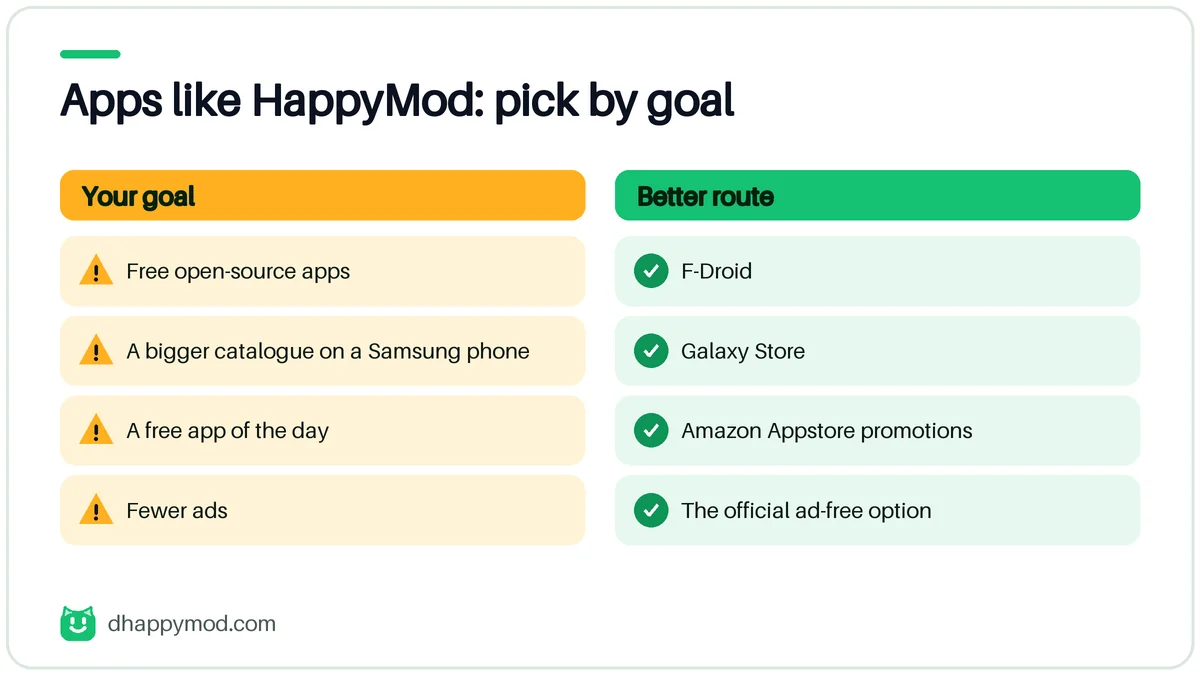
“HappyMod alternative” can mean four different goals. Matching the goal to the right tool avoids most of the risk.
| Goal | Better route |
|---|---|
| Free open-source apps | F-Droid |
| Wider app catalogue on a Samsung phone | Galaxy Store |
| Free app of the day | Amazon Appstore promotions |
| Fewer ads | Official paid tier or ad-free option |
| Game help | Official guides, wikis, community tips |
The Best HappyMod Alternatives
F-Droid
A catalogue of free and open-source Android apps, built from source and reviewed by volunteers. Good for privacy. It has fewer big-name games.
Samsung Galaxy Store
Pre-installed on Samsung phones. Apps go through store review and updates are handled automatically. Selection is smaller than Google Play.
Amazon Appstore
Offers regular free promotions on paid apps and games. It requires an Amazon account.
Aptoide and Other Alternative Stores
Aptoide lets users run their own stores. That makes it closer to HappyMod in risk, so scan files and read comments the same way.
Official Free Tiers and Trials
For services such as music, video and photo editing, the free tier or a trial is almost always cleaner than a modified premium copy.
HappyMod Similar Apps: How They Compare
| Option | Reviewed | Modded content | Updates |
|---|---|---|---|
| HappyMod | No | Yes | Manual |
| F-Droid | Yes | No | Via the app |
| Galaxy Store | Yes | No | Automatic |
| Amazon Appstore | Yes | No | Via the app |
| Aptoide | Partly | Sometimes | Via the app |
The rows that say “No” under modded content are the reason these options are safer. They also explain why they do not offer unlimited resources in games.
How to Pick a Safe Alternative
- Prefer stores that review apps before publishing.
- Check how the store handles updates and removals.
- Look for a clear privacy policy and named company.
- Avoid any store that asks you to disable Play Protect.
How We Compare Alternatives
We use five simple criteria. A good alternative should score well on at least four.
| Criterion | What we look at |
|---|---|
| Review process | Are apps checked before publishing? |
| Transparency | Is the company named, with a privacy policy? |
| Updates | Are updates delivered through the store? |
| Catalogue | Is there enough choice for daily use? |
| Cost | Is it free, with clear paid options? |
Alternatives by Use Case
You want fewer ads
Look for the official ad-free option in the app. Many apps cost a few dollars once. Open-source apps on F-Droid are ad-free by design.
You want to try premium features
Free trials, student discounts and family plans are cheaper than most people think. Some apps also offer promotions through the Amazon Appstore or Galaxy Store.
You want more games
Use the official store with a good filter: “offline games”, “no in-app purchases” and “editor’s choice”. Subscription services such as Google Play Pass or Apple Arcade give a catalogue of ad-free titles for a fixed price.
You care about privacy
F-Droid and open-source apps show their code. Avoid stores that require broad permissions to run.
Risks That Apply to Every Third-Party Store
- Any store can be cloned. Always check the address.
- A store can be good today and sold tomorrow. Review permissions after updates.
- Installing a store gives it the power to install other apps. Only use stores you trust.
- Some stores monetise through bundled apps. Decline extras.
Our Recommendation
For most people the answer is not another store. Stay on Google Play, use the free tier or a trial, and keep unknown sources switched off. Use happy mod download only when you understand the trade-offs described in our guide to is happymod safe.
Comparison Table: Official Stores and Alternatives
| Option | Reviewed before publishing | Modded content | Updates | Ads | Best for |
|---|---|---|---|---|---|
| Google Play | Yes | No | Automatic | Per app | Most people |
| Samsung Galaxy Store | Yes | No | Automatic | Per app | Samsung phones |
| Amazon Appstore | Yes | No | Via the app | Per app | Free app promotions |
| F-Droid | Yes, built from source | No | Via the app | None | Open-source and privacy |
| Aurora Store | Uses Google Play listings | No | Via the app | Per app | Play apps without a Google account |
| Obtainium | You choose the source | No | Pulls from developers | Per app | Apps released on developer pages |
| APKMirror | Verifies signatures | Original files only | Manual | On site | Older or region-limited originals |
| APKPure, Uptodown | Mirror of originals | Mostly originals | Via the app | Yes | Original APKs |
| Aptoide | User-run stores | Sometimes | Via the app | Yes | Experienced users only |
“Reviewed” means the store checks apps; it never means you can stop scanning files. Always verify downloads from any mirror.
Tools That Are Not Stores: Lucky Patcher and Similar
Some searches group HappyMod with tools that patch other apps on your phone. These tools change app behaviour instead of offering a catalogue, and they are the most likely to break an app, trigger a ban or be flagged by security software. Many apps now detect them. We do not recommend any of them.
Stores and Sites to Avoid
Avoid any store whose main selling point is “cracked”, “premium unlocked” or “unlimited” versions of paid apps. Names such as ACMarket, BlackMart, ModDroid, AN1 and Modyolo appear in competitor lists, but they sit in the same risk group as HappyMod or higher, because the files are modified and rarely reviewed.
Can You Use More Than One Store?
Yes, but each store can install and update apps. If two stores manage the same app, updates can conflict because the signatures differ. Keep one source per app, and keep unknown-source permission off for the rest.
Alternatives for iPhone Users
HappyMod has no iPhone version, and the alternatives are official: the App Store, Apple Arcade, TestFlight for beta apps, and in the EU, approved alternative marketplaces. Pages listing “iOS mod stores” are mostly scams. See happymod ios.
How to Install Any Third-Party Store Safely
- Find the store’s own site and its developer information.
- Download one file and check its hash if the site publishes one.
- Scan it on VirusTotal and read the permission list.
- Install and deny anything the store does not need.
- Reset unknown-source permission afterwards.
Free and Legal Ways to Get the Same Result
| You wanted | Do this |
|---|---|
| A premium feature for free | Official trial, student plan, family plan |
| Fewer ads | Ad-free purchase, or an open-source alternative |
| More game currency | Daily rewards, events, codes from the developer |
| Old versions of an app | APKMirror originals with signature checks |
Frequently Asked Questions
What are the best apps like HappyMod?
For safety, F-Droid, Samsung Galaxy Store and the Amazon Appstore. For community stores, Aptoide with extra care.
Is there a legal happymod alternative with mods?
Official game mod support exists for some titles through developers' own tools. Third-party modded copies of paid apps are a legal grey area.
Are happymod like apps safer?
Reviewed stores are safer. Any store that hosts user-uploaded modded APKs carries similar risks.
Which happymod similar apps work on PC?
Official stores run on their own platforms. For Android apps on a computer, use an emulator and keep the same safety rules.
Can I use more than one app store?
Yes, but each extra store increases the number of places that can push updates and permissions to your phone.
Should I just use Google Play?
For most people, yes. It is the lowest-risk, best-supported option.
Is there a safe alternative that has mods?
Official mod support exists for some games through the developer's own tools. Third-party modded copies of paid apps are not a safe or clearly legal choice.
Can I use APKMirror instead of HappyMod?
APKMirror offers original, signed APKs rather than mods. It is useful for older versions of an app, but you must still verify what you download.