- Windows
- Emulator
- No native app
Happy Mod PC: How to Run HappyMod on Windows Safely
There is no native happy mod pc program. HappyMod is an Android app, so on Windows you run it inside an Android emulator. This guide explains the setup, the hardware you need and the safety rules that matter more on a computer.

Is There a HappyMod PC Version?
No. There is no official Windows or macOS installer. When people search happymod for pc, happymod pc or happymod for windows, the working answer is an emulator: software that runs a virtual Android phone on your computer.
Any site that offers a “HappyMod PC version” .exe file is selling you something else. Do not run it. A real happy mod pc version, if it ever existed, would be announced by the HappyMod project itself and would not need a survey or a password.
Happy Mod PC Requirements
A happy mod pc setup is really an Android emulator setup, so the requirements below belong to the emulator. Nobody publishes a separate “happy mod pc version” with its own system needs.
| Item | Recommended |
|---|---|
| Operating system | Windows 10 or 11, 64-bit |
| RAM | 4 GB minimum, 8 GB better |
| Storage | 10 GB free |
| CPU | Virtualization enabled in BIOS |
| Emulator | A well-known Android emulator |
| APK | Verified file from our guide to happy mod download |
Popular emulators include BlueStacks, LDPlayer, MEmu and MuMu Player. We do not rank them here because performance changes by PC. Pick one from its own official site.
How to Install HappyMod on PC with an Emulator
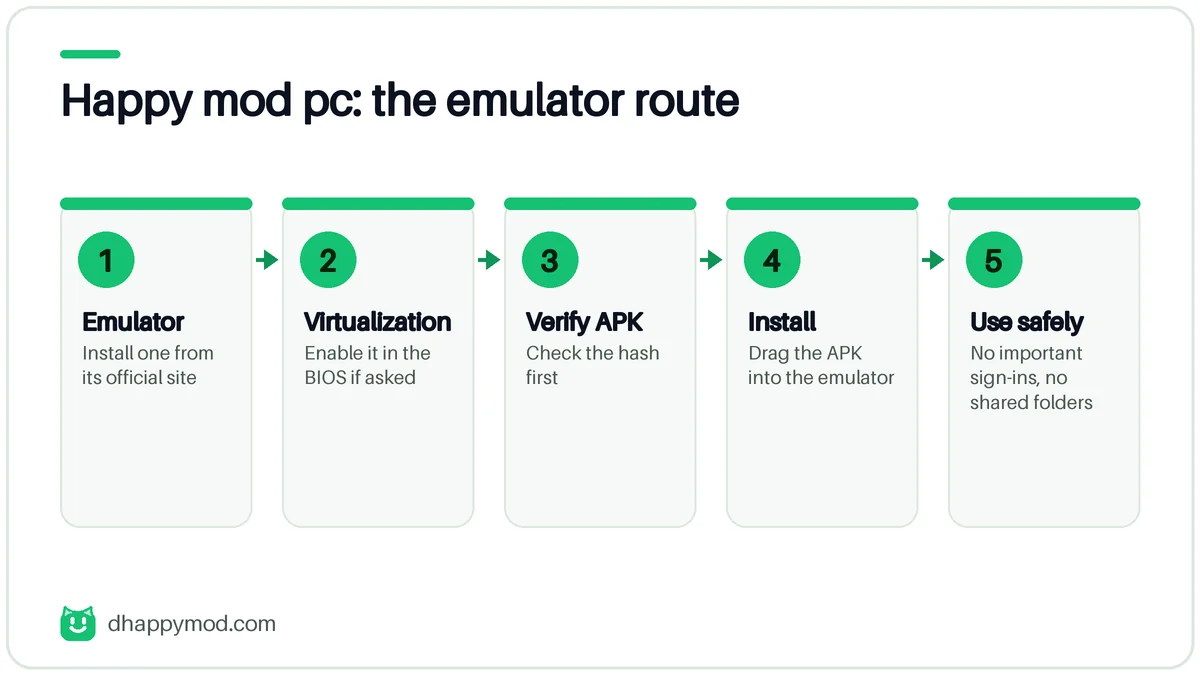
- Download an emulator from its official website only.
- Enable virtualization in your BIOS if the emulator asks for it.
- Download the HappyMod APK and verify its hash.
- Drag the APK into the emulator window or use its install-APK button.
- Open HappyMod and sign in to nothing important.
If the install fails inside the emulator, the causes are usually the same as on a phone. See happymod password.
Safety Rules for HappyMod PC
An emulator is isolated from Windows, but it is not magic. Follow these rules:
- Do not share folders between the emulator and your Documents.
- Use a separate Google account in the emulator, never your main one.
- Run an up-to-date antivirus on the host PC.
- Take a snapshot or use a fresh instance you can delete.
- Never run .exe files that claim to be a HappyMod PC version.
The mods themselves are still third-party files. An emulator limits the damage, it does not remove the risk. Read our guide to is happymod safe first.
Can You Use a Phone Instead?
For most people, yes. A cheap spare Android phone is simpler, easier to reset and avoids PC virtualization settings. Use the emulator only if your games need a keyboard or larger screen.
Choosing an Emulator
We do not rank emulators because performance depends on your hardware. Use these questions instead:
| Question | Why it matters |
|---|---|
| Is it from the official website of a known company? | Fake installers are common |
| Does it need a modern CPU with virtualization? | Speed and stability |
| Does it bundle extra software? | Adware risk |
| Can you disable ads and sync? | Privacy |
| Does it get regular updates? | Security fixes |
Download the emulator only from its own site, decline optional bundles during setup and avoid “cracked” emulator builds.
Optimising HappyMod PC Performance
Slow performance is almost always a setup problem, not a HappyMod problem.
- Allocate resources. Give the emulator at least 2 CPU cores and 3 GB of RAM.
- Turn on virtualization in your BIOS.
- Update graphics drivers. Use the vendor’s own site.
- Close heavy apps such as browsers with many tabs.
- Use DirectX or OpenGL mode according to your GPU, and test both.
Happymod for PC vs a Spare Android Phone
| Factor | Emulator on PC | Spare phone |
|---|---|---|
| Cost | Free software | Hardware cost |
| Setup | Medium | Easy |
| Isolation | Good if used correctly | Excellent |
| Keyboard and large screen | Yes | No |
| Battery drain | N/A | Yes |
| Risk of harming main PC | Low, but not zero | None |
If you only want to try a mod occasionally, a cheap used Android phone is simpler. If you want a big screen for a game, the emulator is fine.
Common Emulator Errors
- “Virtualization is disabled”: enable VT-x or AMD-V in BIOS.
- “APK parse error”: the file is damaged or needs a newer Android image.
- Black screen: switch graphics mode or update drivers.
- Emulator will not start: disable other virtual machine software while it runs.
Keeping Your PC Safe
Think of the emulator as an unlocked door. Keep the Windows side protected: updated Windows, an active security tool and no important folders shared. Do not sign in to your main Google account inside the emulator, and delete the instance when you finish. Our full risk checklist is in our guide to is happymod safe.
Turn On Virtualization Before You Install an Emulator
Most “emulator will not start” problems come from virtualization being off.
| Step | What to do |
|---|---|
| Check | Open Task Manager, Performance, CPU. “Virtualization: Enabled” means you are ready |
| Enable | Restart into BIOS or UEFI and turn on Intel VT-x or AMD-V (names vary by maker) |
| Conflicts | Some emulators clash with Hyper-V, Windows Hypervisor Platform or other virtual machine software; close them or follow the emulator’s own guidance |
| Drivers | Update graphics drivers from the GPU maker’s site |
Three Ways to Install the APK in an Emulator
- Drag and drop the APK file onto the emulator window.
- Use the emulator’s Install APK button (name varies) and pick the file.
- Download inside the emulator’s browser, then open the file from Downloads.
Whichever you choose, verify the hash on the PC first. See happymod install for the same checks on a phone.
Controls, Keyboard Mapping and Controllers
Emulators let you map keys to touch points. Start with the defaults for the game, then adjust one control at a time. If you play with a gamepad, pair it in the emulator settings, not in Windows. For competitive online games remember that macros and key remaps can break the game’s rules and risk a ban.
Troubleshooting Table for HappyMod on PC
| Symptom | Likely cause | Fix |
|---|---|---|
| Emulator will not start | Virtualization off or Hyper-V conflict | Enable VT-x/AMD-V, close conflicting software |
| Black screen | Graphics mode or driver | Switch DirectX/OpenGL, update drivers |
| Install fails with parse error | Corrupt file or wrong build | Re-download, verify hash |
| Catalogue empty | Network or time mismatch | Check connection and the emulator’s clock |
| Very slow | Too little RAM or CPU | Allocate more resources, close other apps |
Mac and Apple Silicon Notes
There is no native Mac app. Intel Macs can run some Android emulators, while Apple-silicon Macs need a build made for them, and support varies by product and version. Check the emulator’s own system requirements before you install it, and remember that Microsoft’s Windows Subsystem for Android ended support in 2025, so it is no longer an option on Windows either.
Uninstall and Clean Up After Testing
Close the emulator, delete the virtual device, remove the emulator, then delete leftover folders and bundled software the installer offered. Emulator installers sometimes add extra apps or ads, so decline optional offers when you install.
Frequently Asked Questions
Is there an official happy mod pc app?
No. HappyMod is an Android app. On Windows you run it inside an Android emulator.
Can I use happymod apk for pc without an emulator?
No. The APK format needs an Android environment, which an emulator provides.
Which Windows versions work with happymod for windows?
Anything that runs a modern Android emulator, usually Windows 10 or 11 with virtualization enabled.
Is a happymod pc download safe?
Only if you download the emulator and the APK from verified sources. Never run an .exe file that claims to be HappyMod.
Does HappyMod run on Mac?
There is no official macOS version. Some emulators exist for Mac, with the same risks.
Why is HappyMod slow in my emulator?
Low RAM, disabled virtualization or too many background apps. Close other programs and allocate more memory to the emulator.
Does happy mod pc work on a Mac?
Only through an emulator that supports your Mac. Apple-silicon Macs have fewer options than Windows PCs.
Is my game progress shared between my phone and the emulator?
Only if the game itself syncs through an account. Do not sign in with your main account inside an emulator you use for modded files.